All your credit cards. One clear view. Straight from your bank's SMS.
SMSVault turns the bank messages already on your phone into credit left on each card, statements, due dates and spending by category — across every bank and every card, credit or debit. No bank login, and nothing ever leaves your phone.
SMSVault is in closed testing on Google Play. Send us your Gmail on WhatsApp and we'll send your personal invite link. Android only.
Install, allow SMS, and your cards appear.
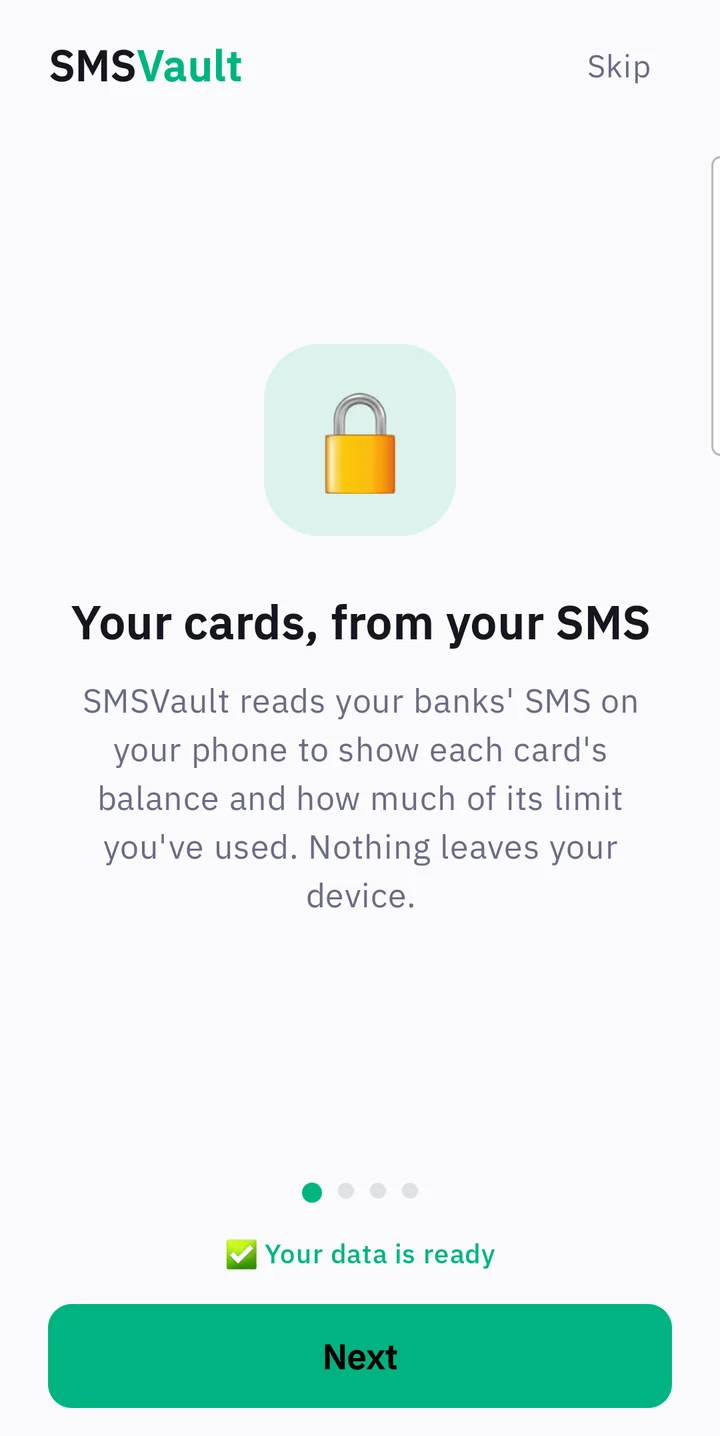
Allow SMS access
SMSVault imports the last 3 months of bank SMS — on your phone, while a short tour explains the app.
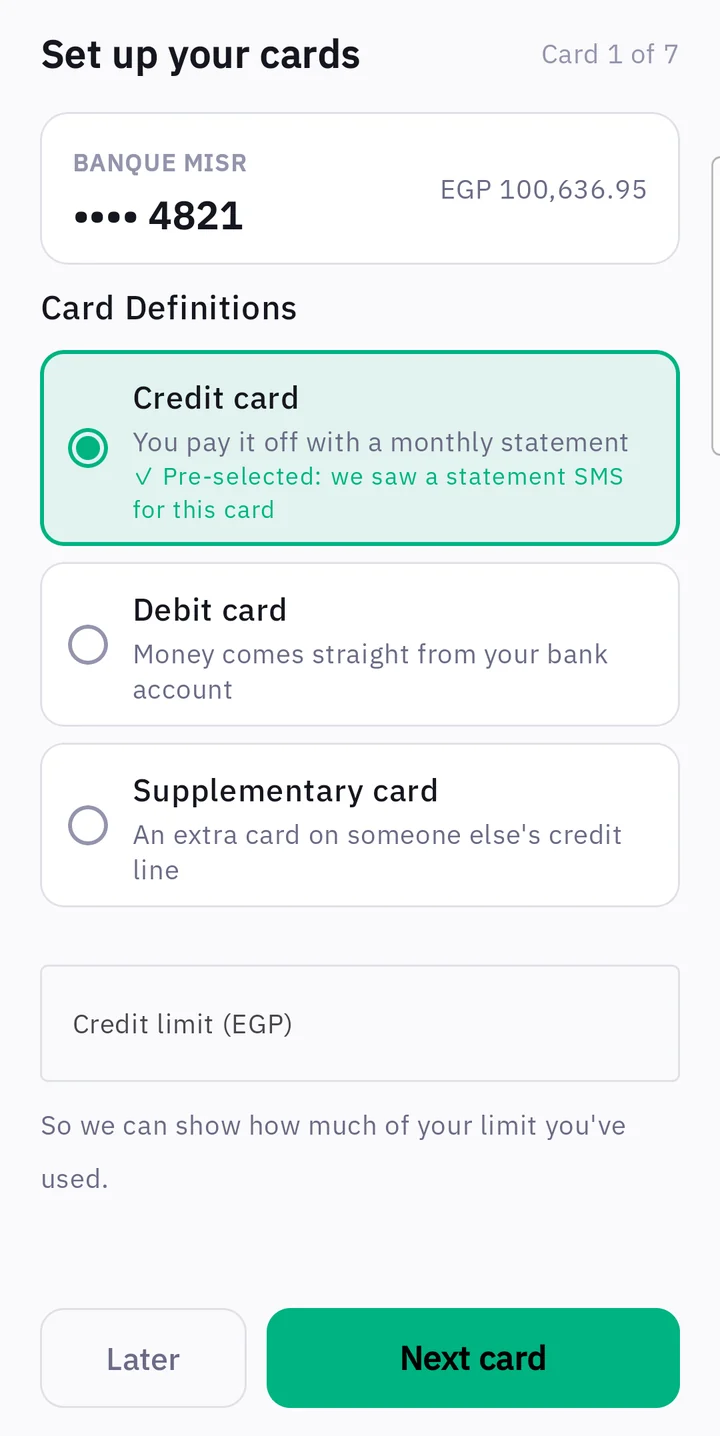
Confirm each card
Credit, debit or supplementary, plus your limit. SMSVault pre-selects the type when your bank's SMS proves it.
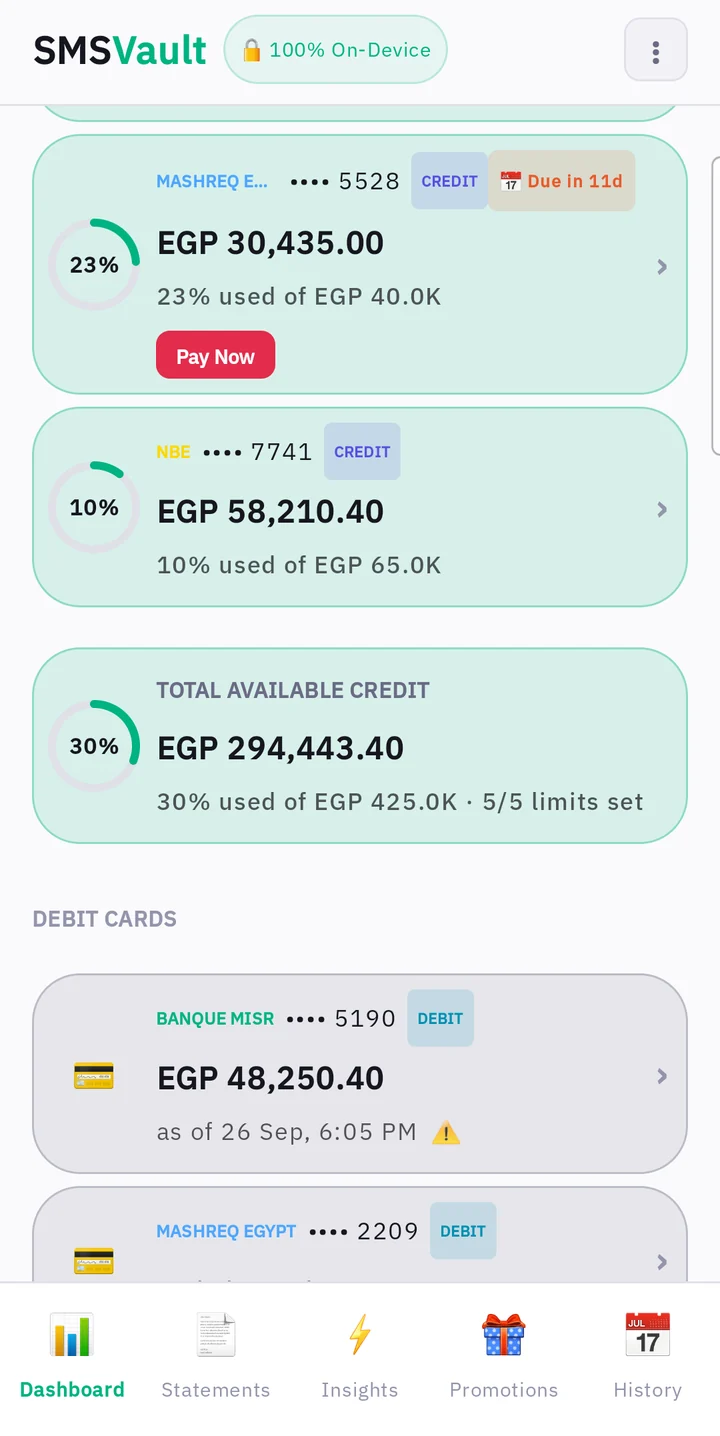
See everything
Every card, every bank, on one screen — kept up to date from each new bank SMS.
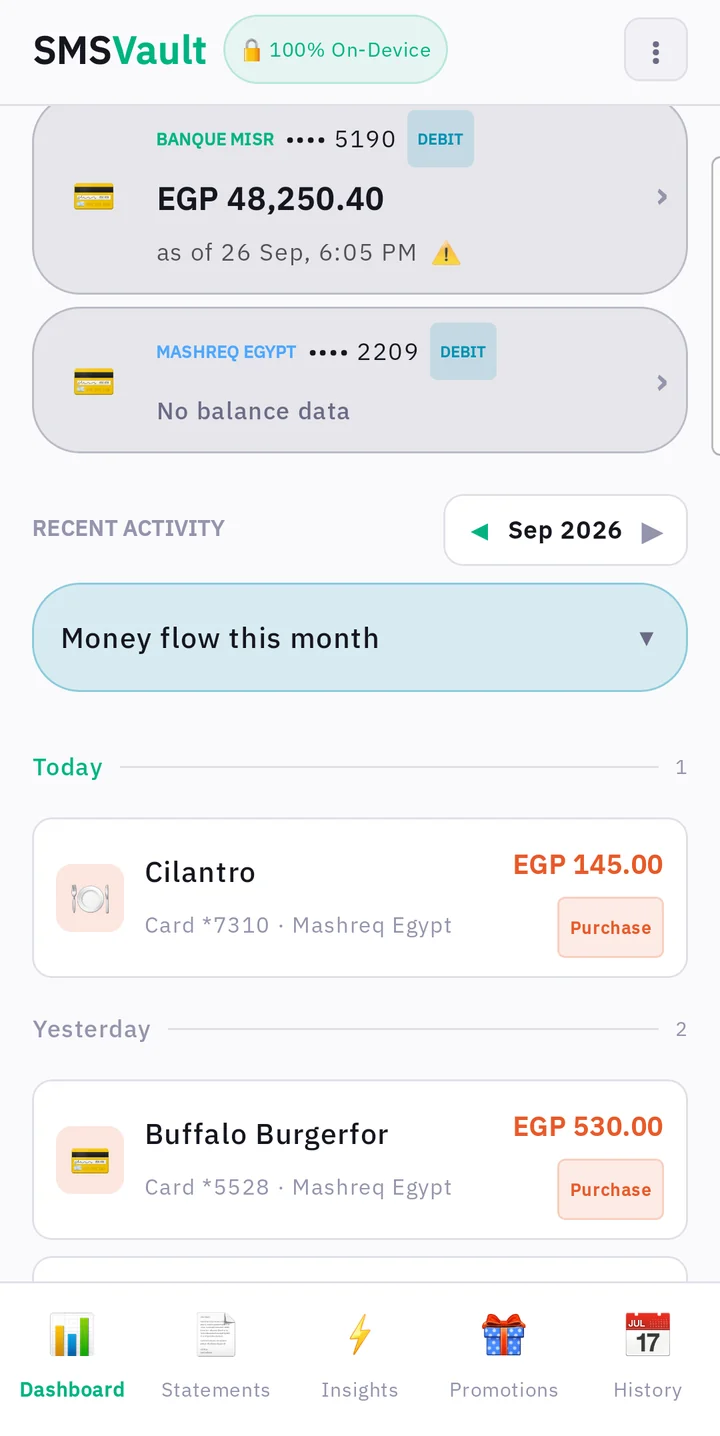
Know where every card stands.
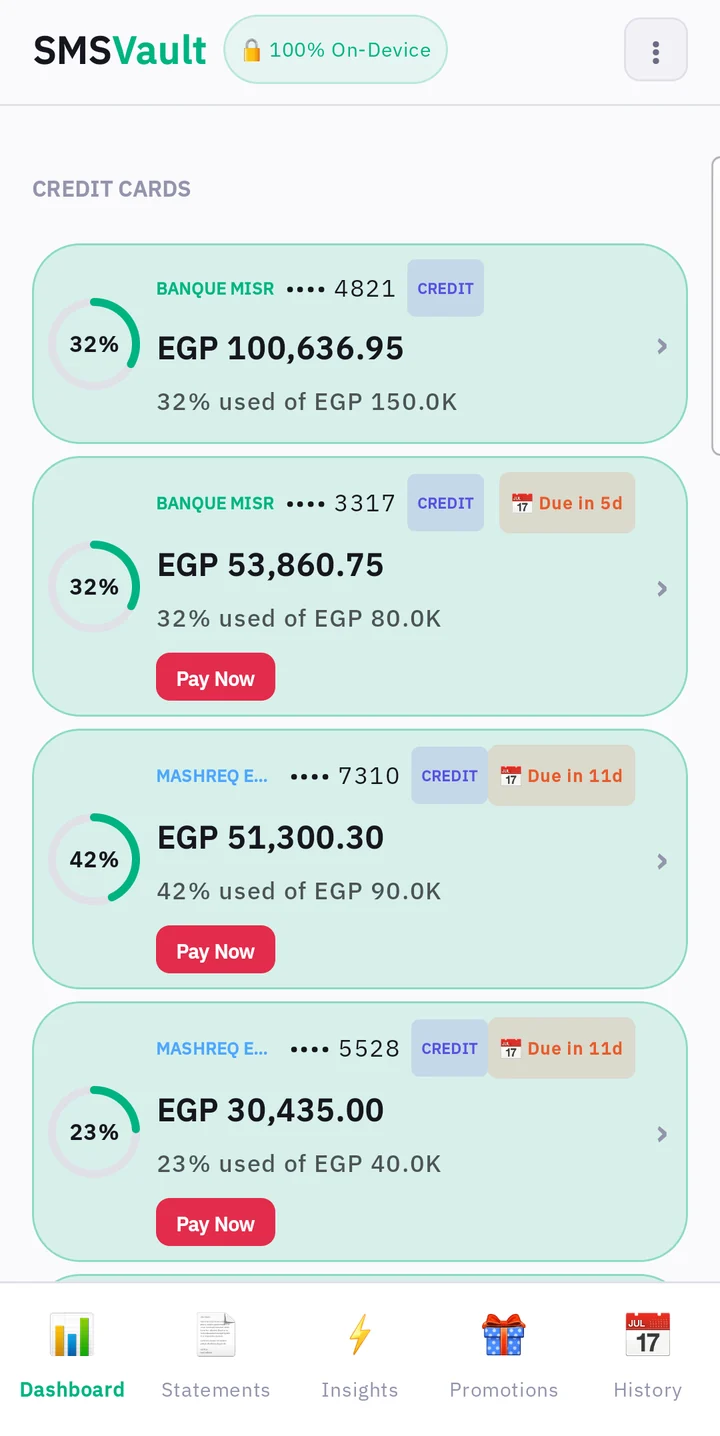
- How much credit is left on each card, at a glance: the ring and a green band fill with what you can still spend.
- Alerts when a payment is due: "Due in 5d", "Overdue", "Over limit", with a Pay Now button that opens your bank app or InstaPay.
- Total available credit across all your cards.
- This month's money flow: ATM cash, InstaPay sent and received, money received, card spending and payments.
Never miss a payment again.
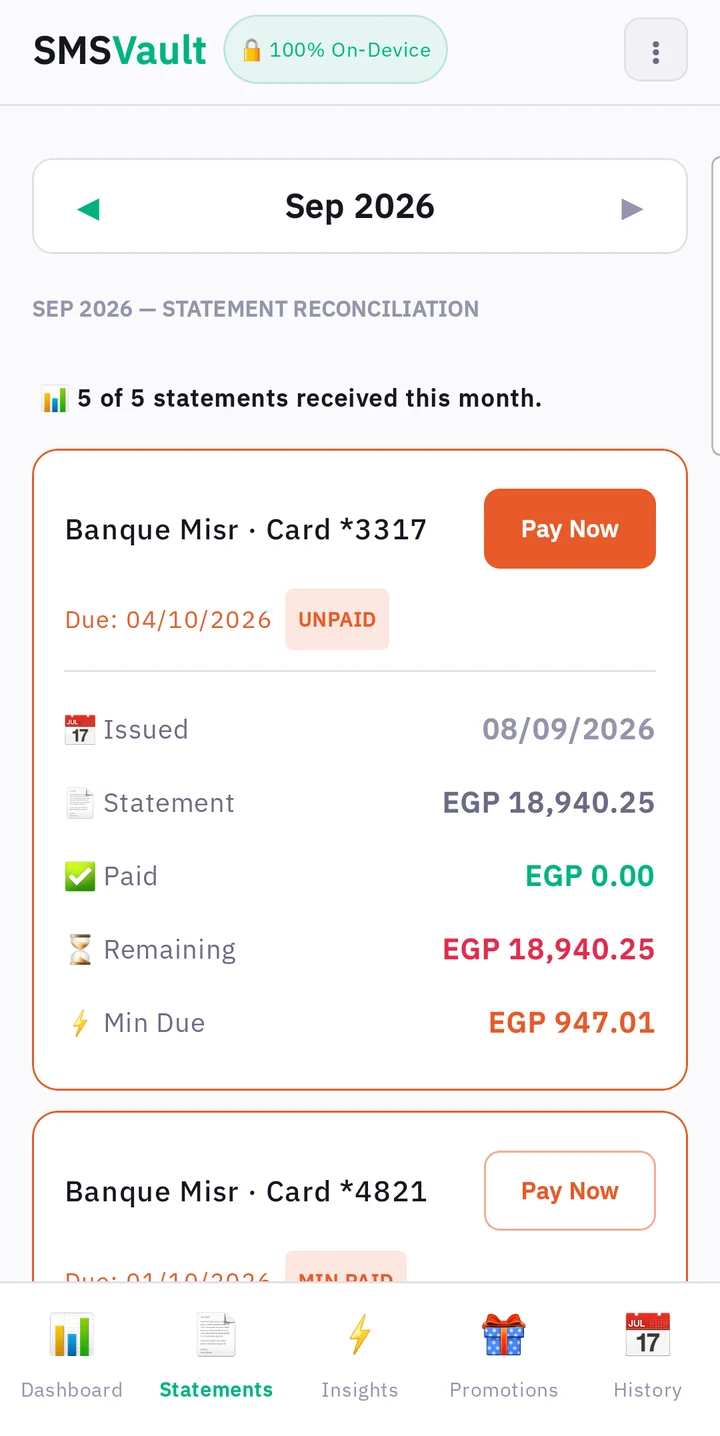
- Each card's monthly bill as one box: green for what you've paid, red for what's still owed, with the remaining amount and minimum due.
- The due date counted down for you ("Due 21 Oct · in 12 days") and a clear status: Unpaid, Min paid, Paid or Overdue.
- A month summary of everything you owe across banks.
- A heads-up when a bank's statement SMS didn't arrive, so you check the bank app.
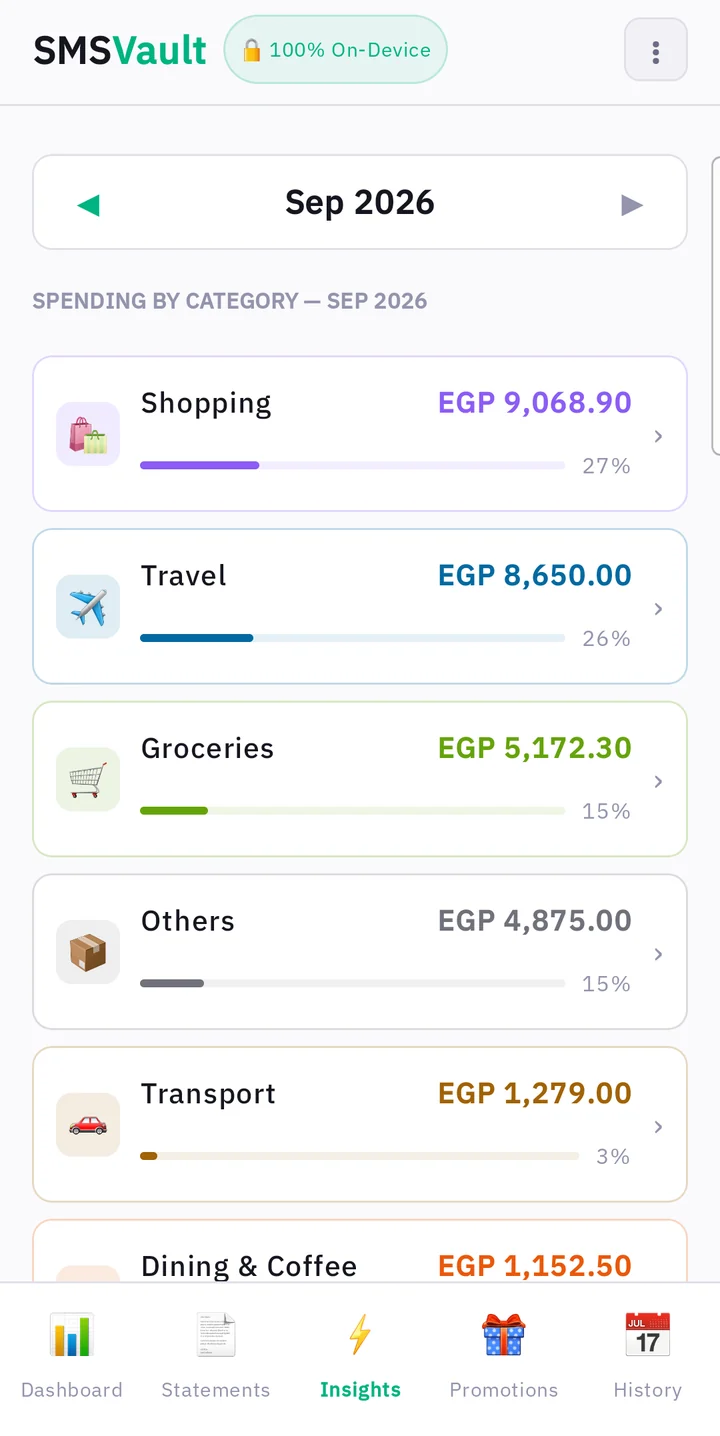
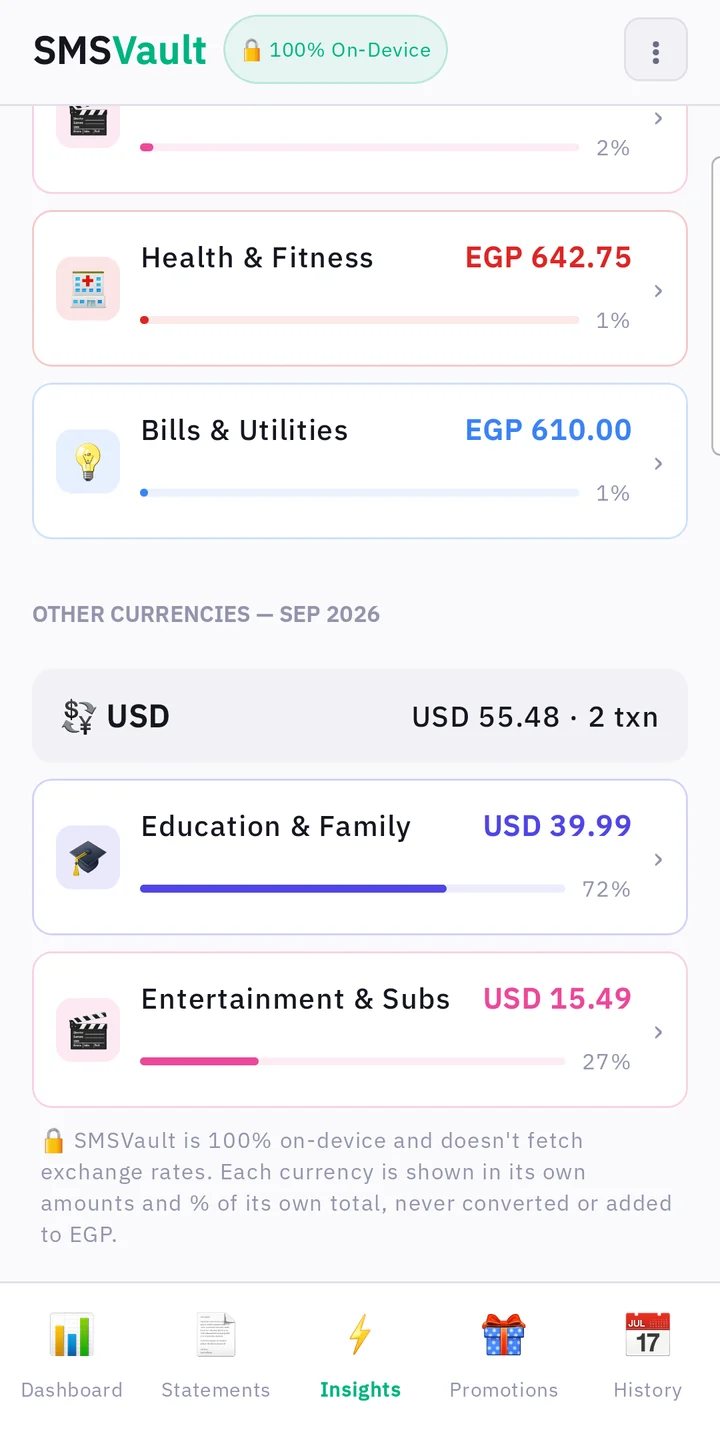
See where your money goes — whichever card you pay with.
NewDownload your report as Excel or PDF. One tap at the end of Insights saves the month to your phone: an Excel sheet with real dates and amounts ready to sort and add up, or a printable PDF with every category and purchase.
- Your month's total spending first, with one bar showing every category's share, then each category across all your cards and banks.
- Counted once, never twice: ATM cash withdrawals and paying your credit card bill aren't spending, so they stay out — including cash from another bank's ATM.
- Tap a category to see its purchases; fix a merchant's category once and it sticks.
- Dollar and other foreign purchases get their own totals and categories — never mixed into your EGP.
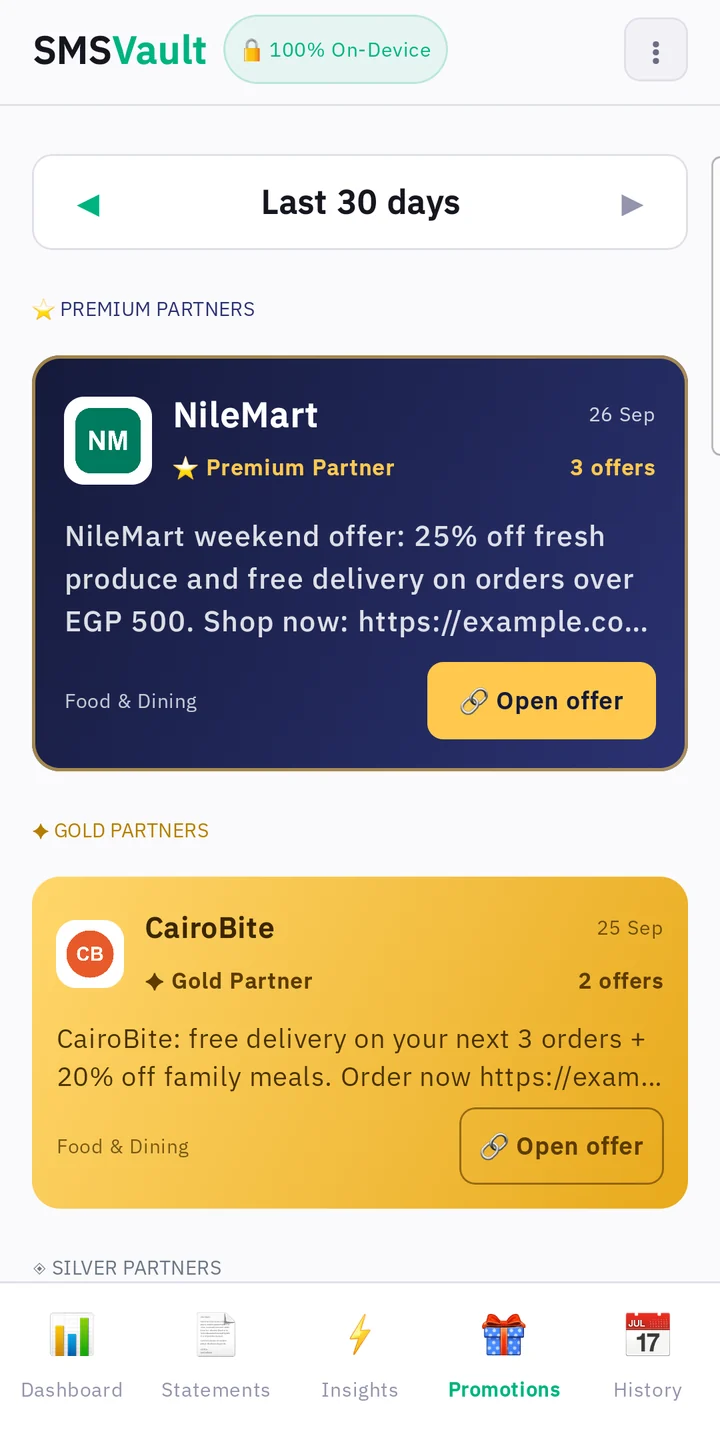
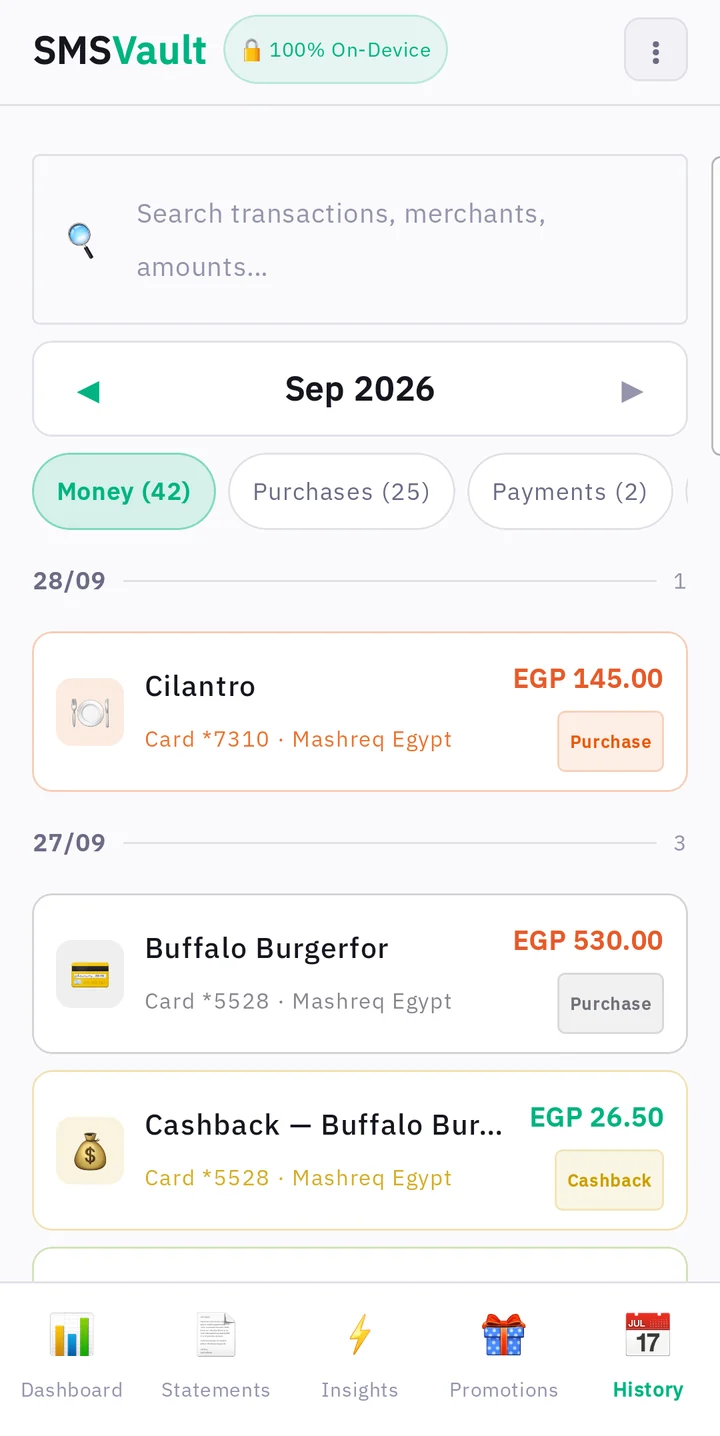
Offers in one place. Every message, searchable.
- Offers from brands you know, grouped together instead of lost between OTP codes.
- Suspicious, scam-style messages flagged for review.
- Search every bank SMS by merchant, amount or bank, across months.
- New"This was ATM cash." If a cash withdrawal shows up as a purchase, open it and tap once. It leaves your spending, and so does every later SMS from that ATM. Changed your mind? Tap again to undo.
- Your normal SMS app stays exactly as it is.
Screens shown with sample data.
Your money stays on your phone.
SMSVault has no internet permission at all — it physically cannot send your data anywhere. There's no account to create and no bank password to share. Even the Excel and PDF reports are made on your phone and saved to your own Downloads folder.
- Reads bank SMS on your phone onlyThe same messages your bank already sends you.
- OTP codes are never storedOne-time passwords are skipped, and personal messages aren't kept.
- No login, no cloudNo sign-up, no servers, no sharing with banks or advertisers.
- Your SMS app is untouchedSMSVault only reads; it never deletes or changes a message.
What SMSVault can't see.
SMSVault only knows what your bank sends by SMS. We'd rather tell you now than let a number mislead you.
Messages your bank doesn't send
If your bank sends no SMS for a purchase or statement, SMSVault can't show it. Check your bank app for anything important.
Transfers from your bank account
InstaPay transfers made from your account aren't linked to your debit card, so a debit balance shows the bank's last reported figure.
Your credit limit
Banks rarely send your limit by SMS, so you enter it once. SMSVault never guesses it.
Exchange rates
Foreign purchases are shown in their own currency and never converted to EGP.
FAQ
How do I join the beta?
Send us your Gmail on WhatsApp. We add it to the tester list on Google Play and send you an invite link. Open it on your Android phone, tap "Become a tester", then install SMSVault from Google Play. Updates arrive through Google Play like any other app.
Is SMSVault free? Why?
Yes. SMSVault is free to download and use, and your data can't be sold: the app has no internet permission and no account, so nothing ever leaves your phone. Why we build it: your bank holds your data, but what it sends you is yours. SMSVault turns those messages into one organised view of all your cards, there even when you're offline. Edgepoint's paid work is advisory for organisations, kept fully separate from the apps.
Do I need to link my bank account?
No. SMSVault never asks for a bank login. It reads the SMS your bank already sends to your phone.
Can SMSVault see or send my data?
No. The app has no internet permission, so it can't send anything off your phone. Everything is processed and stored on your device.
Which banks work?
SMSVault reads SMS from Banque Misr, NBE, CIB, Mashreq, QNB, HSBC, Alex Bank, Banque du Caire, AAIB, Emirates NBD and other Egyptian banks and wallets. If your bank's SMS isn't recognised, contact us and we'll add it.
Does it count my debit card spending too?
Yes. Purchases with your debit card are added to the same spending categories as your credit card purchases. ATM cash withdrawals and credit card bill payments aren't counted as spending.
Can I export my spending?
Yes. At the end of the Insights tab, tap "Download report" and choose Excel or PDF. The file is saved to your phone's Downloads folder.
A transaction is missing. Is SMSVault wrong?
SMSVault shows exactly what your bank sends by SMS. If the bank didn't send an SMS for a transaction, SMSVault can't show it. When in doubt, check your bank's app too: SMSVault sits beside your bank and doesn't replace it.
Does it work on iPhone?
Not yet. iPhones don't let apps read SMS, so SMSVault is Android only.
Is it in Arabic?
Yes. From version 1.0.26 every screen is in Arabic when your phone is set to Arabic, or under Settings › Apps › SMSVault › Language on Android 13 and later. This page is also available in Arabic.
Be one of the first to try it.
- Step 1Send your GmailMessage us on WhatsApp with the Gmail you use on your Android phone.
- Step 2Get your inviteWe add you to the tester list and send your personal Google Play link.
- Step 3InstallOpen the link, tap "Become a tester", then install SMSVault from Google Play.
+20 103 504 8486
smsvault.app@gmail.com